From how.doxadeo.org
No edit summary |
No edit summary |
||
| Line 2: | Line 2: | ||
Ensure that all projectors are switched on. | Ensure that all projectors are switched on. | ||
1 | 1. For Auditorium side projectors and stage screen, ensure that power is on. In corner electrical distribution board on the gallery, ensure that plugs marked are switched on at the multiplug. | ||
<pic src="/images/d/db/Proj-power1.png" width=50% align=left /> | <pic src="/images/d/db/Proj-power1.png" width=50% align=left /> | ||
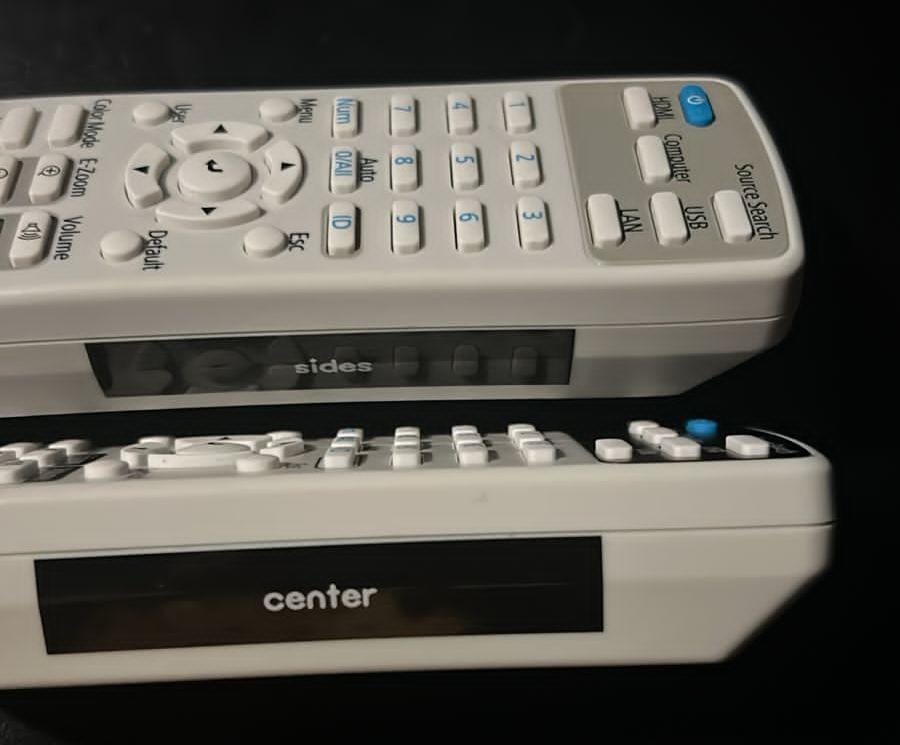
2. Use Epsom Projector remotes, located next to Propresenter screen, and switch on Auditorium side and center screen projectors. | |||
<pic src="/images/3/31/New_epson_remotes.jpeg" width=30% align=left /> | |||
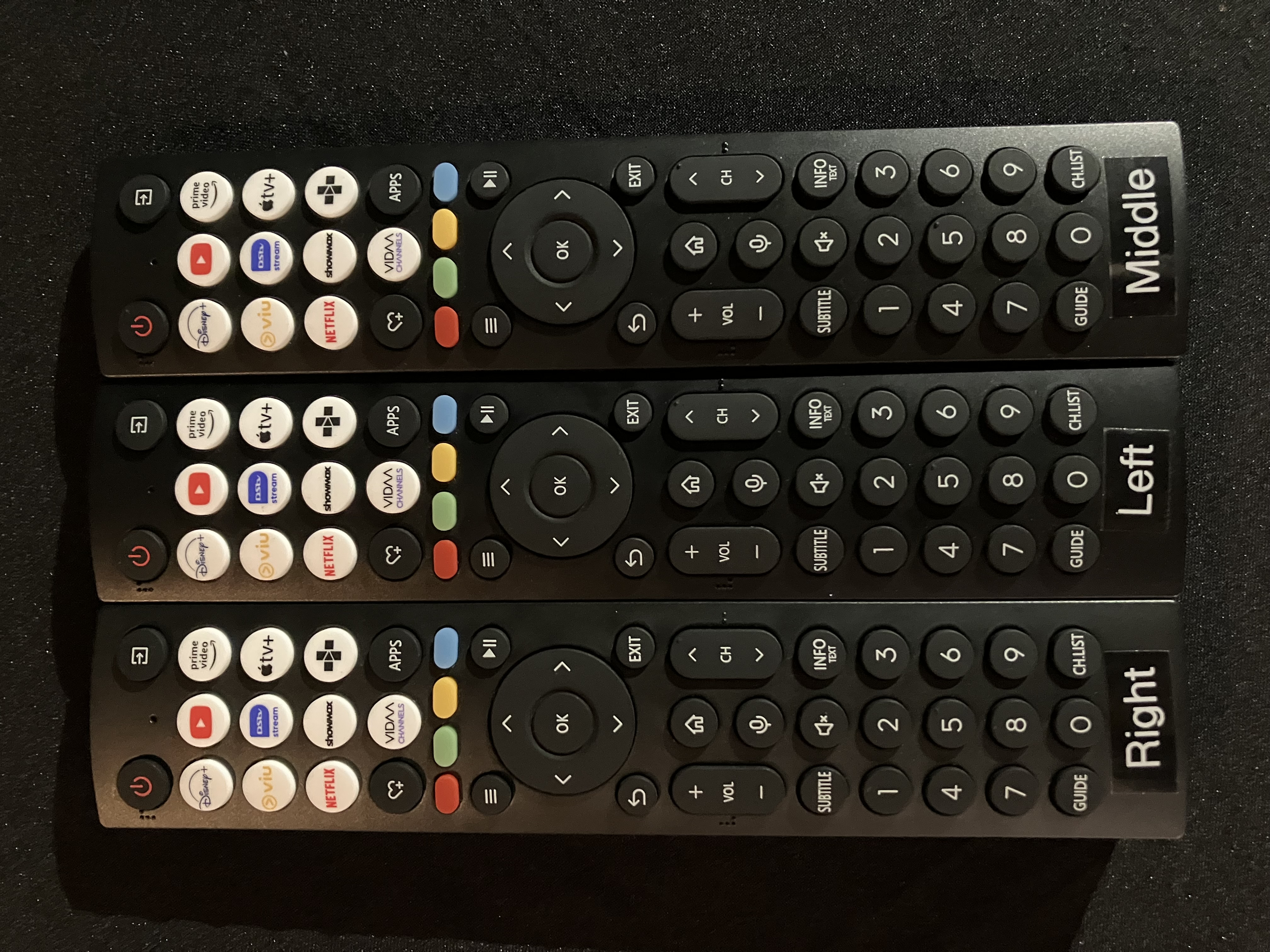
3. For the hall ensure that TVs are switched on and correct source selected. Remotes available in av cabinet in the corner. | |||
<pic src="/images/e/e7/Hall-remote.jpeg" width=30% align=left /> | <pic src="/images/e/e7/Hall-remote.jpeg" width=30% align=left /> | ||
Latest revision as of 12:30, 4 January 2026
Projector switch on
Ensure that all projectors are switched on.
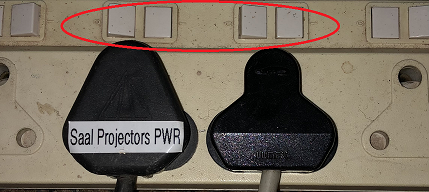
1. For Auditorium side projectors and stage screen, ensure that power is on. In corner electrical distribution board on the gallery, ensure that plugs marked are switched on at the multiplug.
2. Use Epsom Projector remotes, located next to Propresenter screen, and switch on Auditorium side and center screen projectors.
3. For the hall ensure that TVs are switched on and correct source selected. Remotes available in av cabinet in the corner.