Lights home
We use [ShowXpress] for controlling our DMX lighting system, specifically V9. (The newer V II is NOT compatible with the V9 configuration; upgrading will require reprogramming of all scenes.)
When using the stage lighting, it is important to turn on the Keep on button. This orientates all moving fixtures to a typical stage position so that turning lights on gives useful light without requiring additional movement at that time.
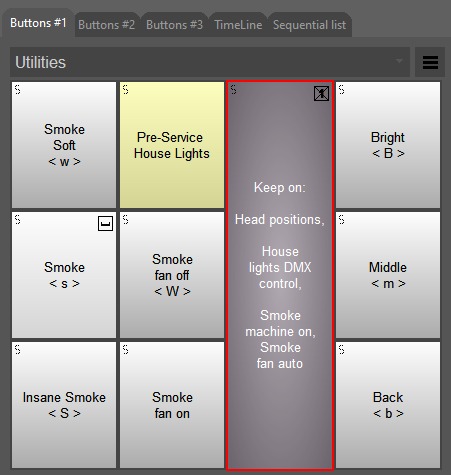
The Keep on button also allows the house lights to be controlled via DMX, and ensures that the smoke machine is powered on. It also allows turning the smoke machine's fan on (to blow, of course) and off (to keep quiet, during preaching).
The Antari Z3000 smoke machine is intelligently controlled via a DMXPower interface, and should just work™ as follows when the Keep on button is activated:
- Triggering smoke (via Soft Smoke, Smoke, or Insane Smoke buttons) will turn the fan on (and keep it on for 5 minutes)
- Briefly activating and releasing Smoke fan on will turn the fan on (and keep it on for 5 minutes)—Useful at start of worship set, so that the first smoke doesn't "hang"
- Briefly activating and releasing Smoke fan off will turn the fan off—Useful at end of worship set, so that the fan is quiet during preaching
- Should mains fail, the smoke machine and associated fan will stop working; the rest of the lighting system is carried by UPS